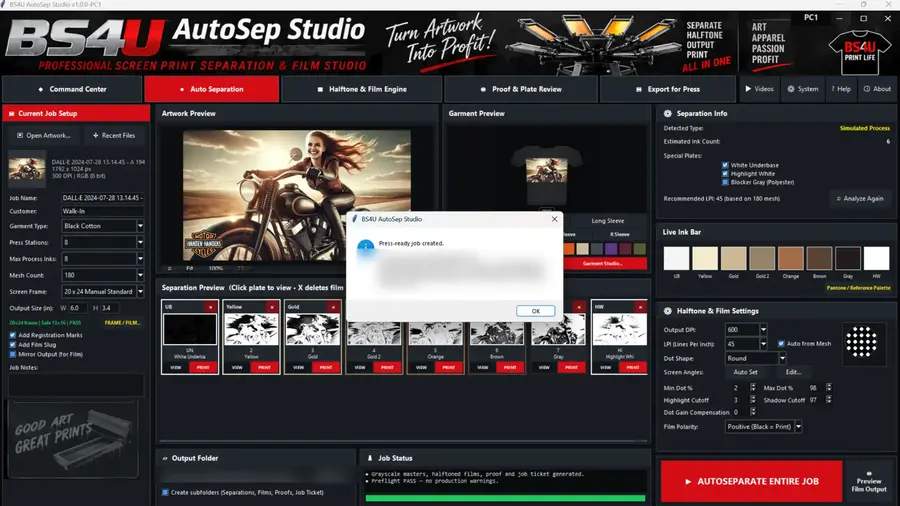
Automatic Separations
Choose Spot Color, Simulated Process, CMYK Process, or Index separation to suit your artwork and press.
Spot, Simulated Process, CMYK and Index separation, editable plates, optional background removal, integrated FilmRIP, and shop-management tools in one standalone Windows application. No Photoshop required.
Optional: get setup tips by email during your trial.
Holiday Special: up to 3 PCs for $399 through Jan 1, 2027 • Instant 10-day trial • 30-day refunds, including after activation • Code signing pending
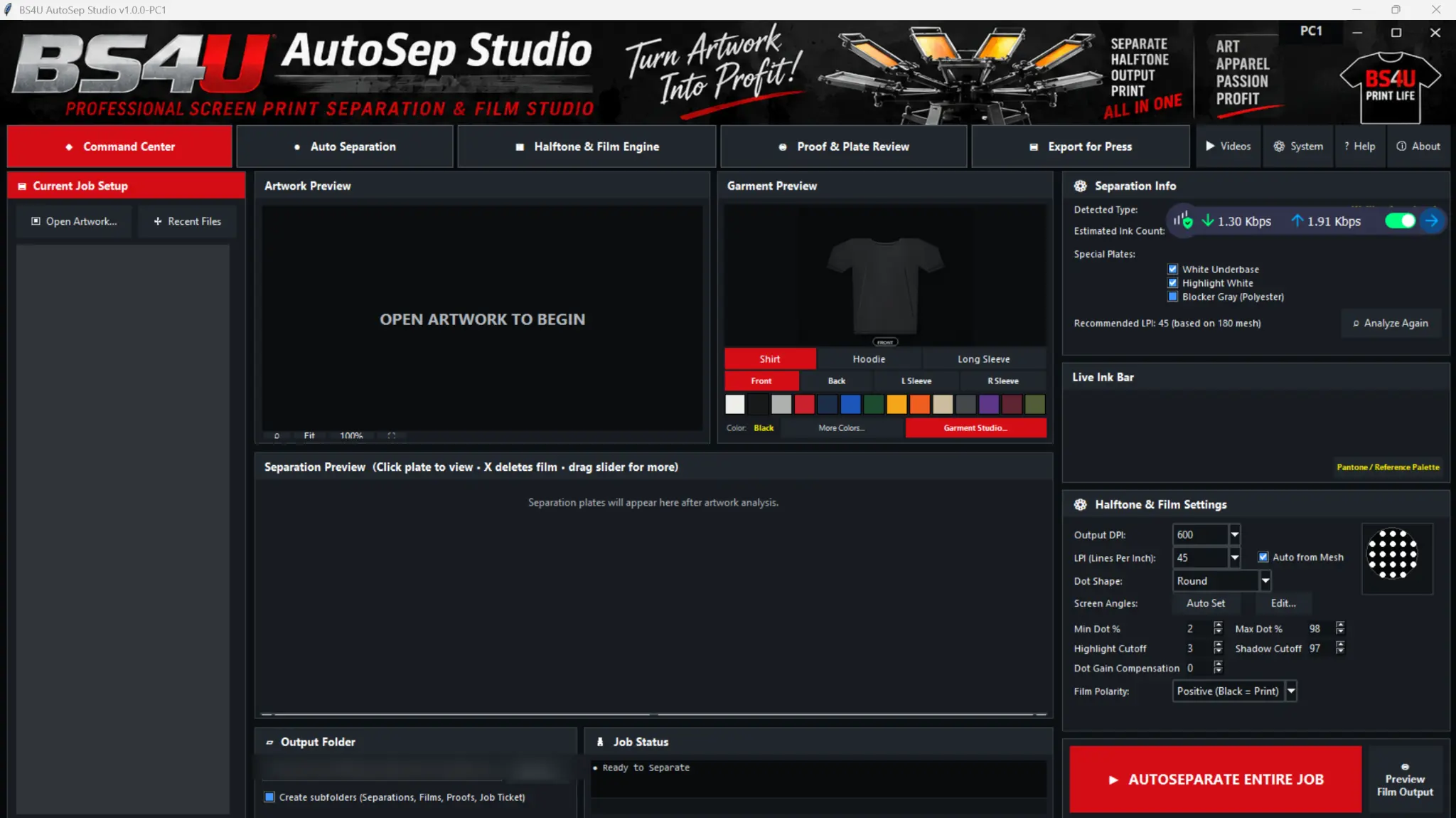
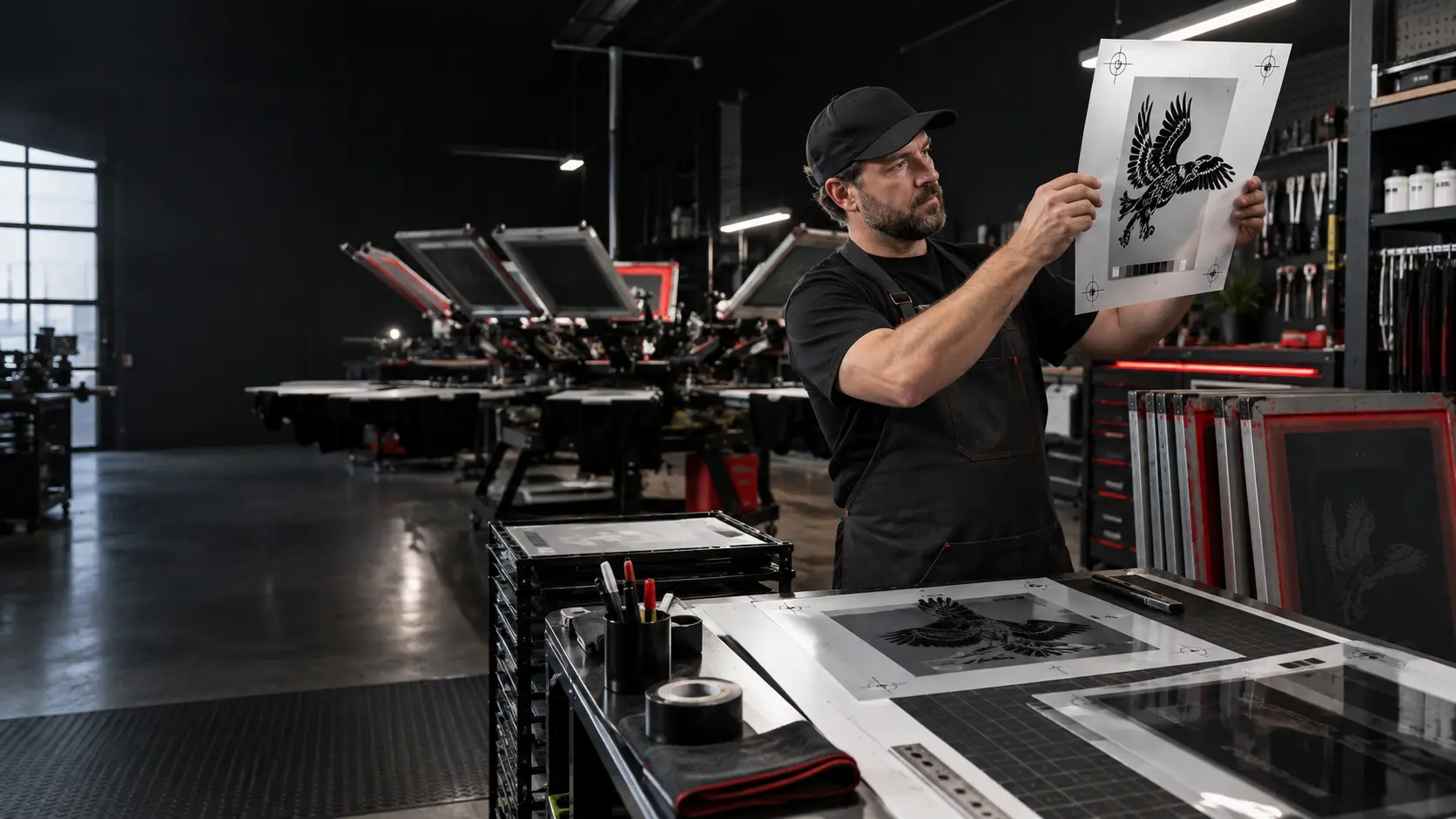
AutoSep gives your shop one path from artwork analysis to approved film output, so separations, plate review and film settings live in the same program.
Move from customer artwork to operator-approved plates, proofs, job files, and film through one consistent interface. Every card below shows the real AutoSep workflow.
Choose Spot Color, Simulated Process, CMYK Process, or Index separation to suit your artwork and press.
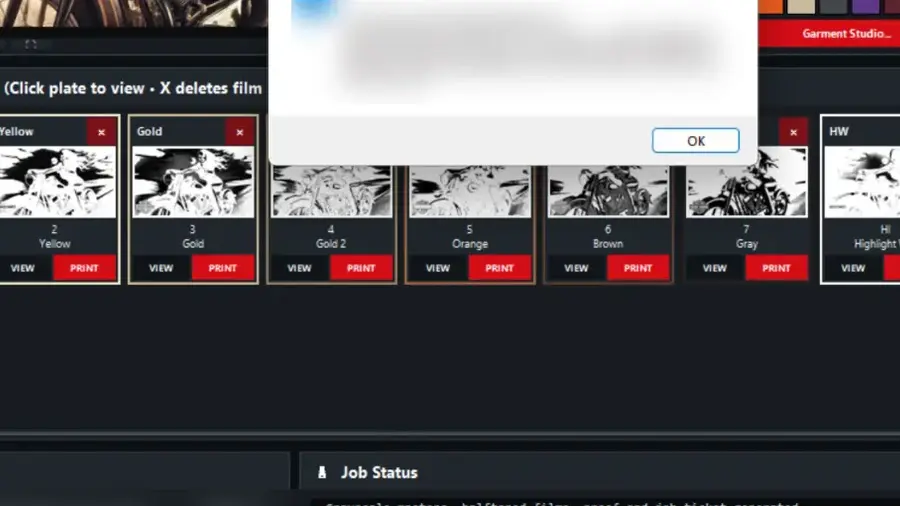
Create underbase, highlight-white, and blocker-gray plates for production needs.
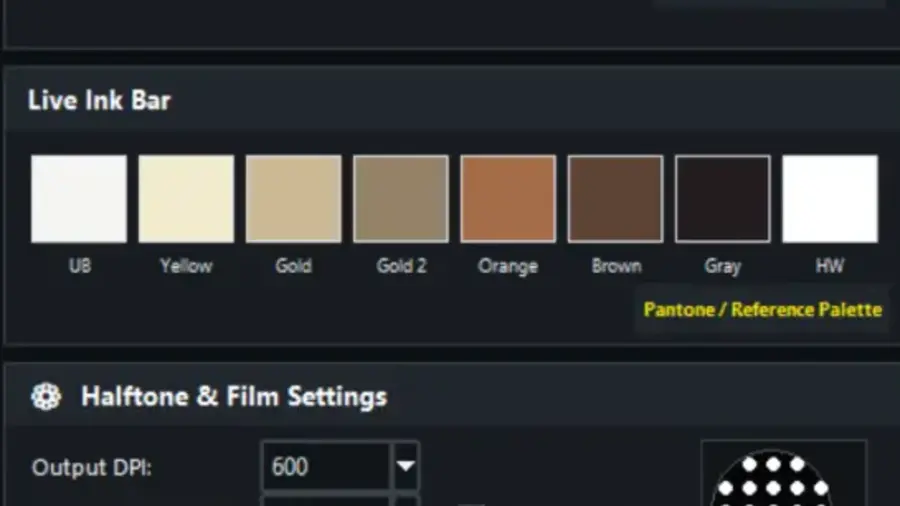
Control DPI, LPI, dot shape, screen angles, cutoffs, and dot-gain compensation.
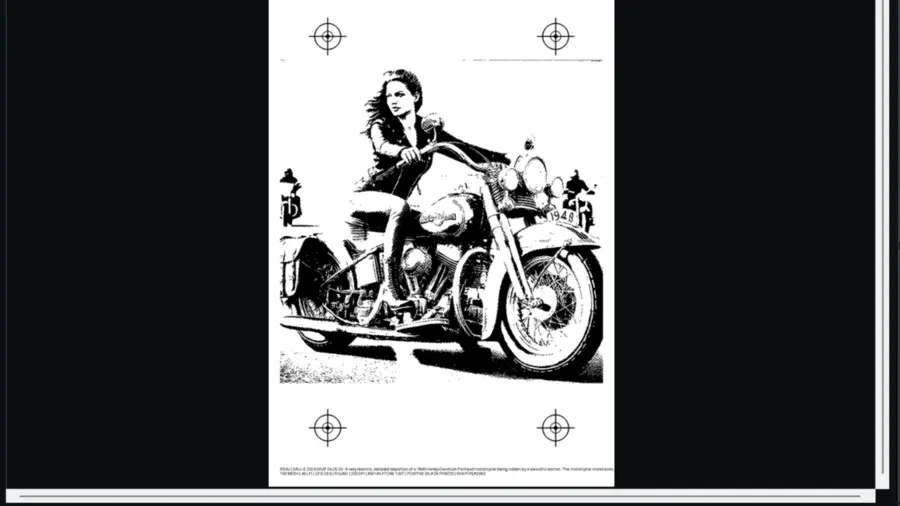
Select nonadjacent plates, merge chosen colors, reorder plates, and inspect individual films and garment proofs.
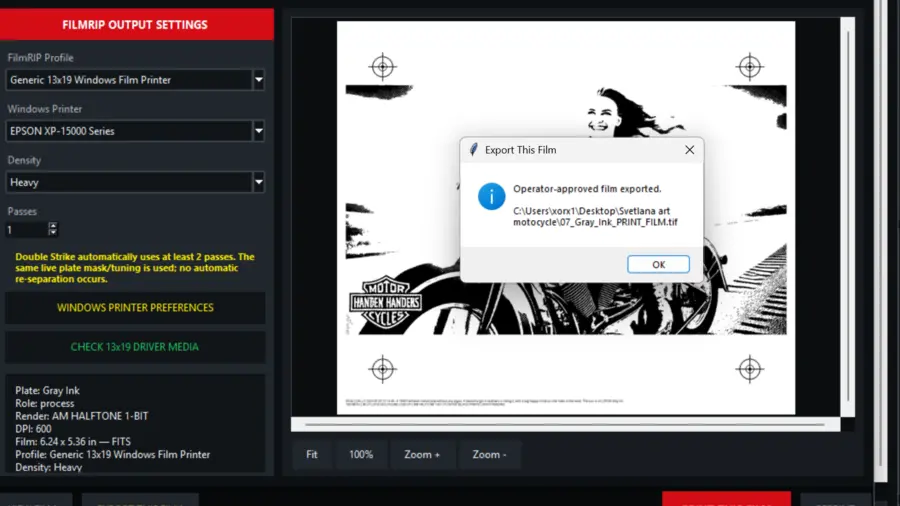
Prepare operator-approved 1-bit output with profiles, density, and pass controls.
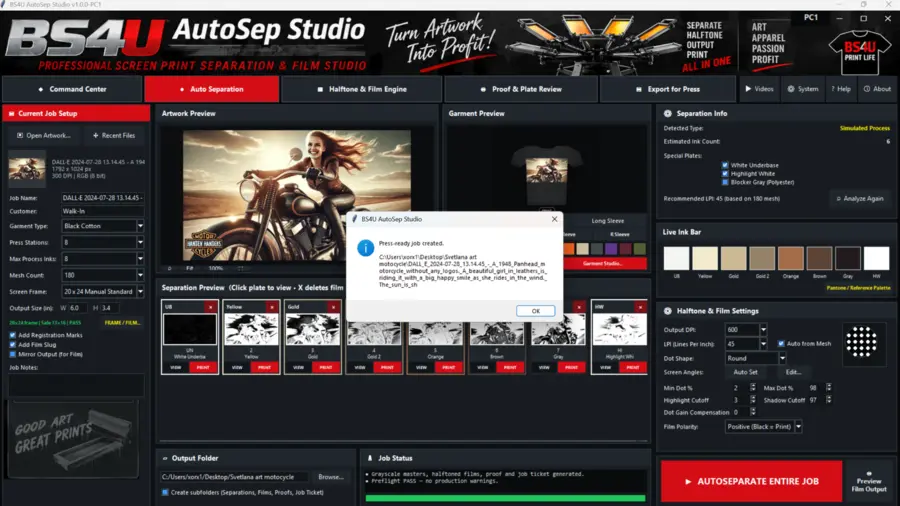
Generate organized separations, films, proofs, and job tickets with preflight feedback.
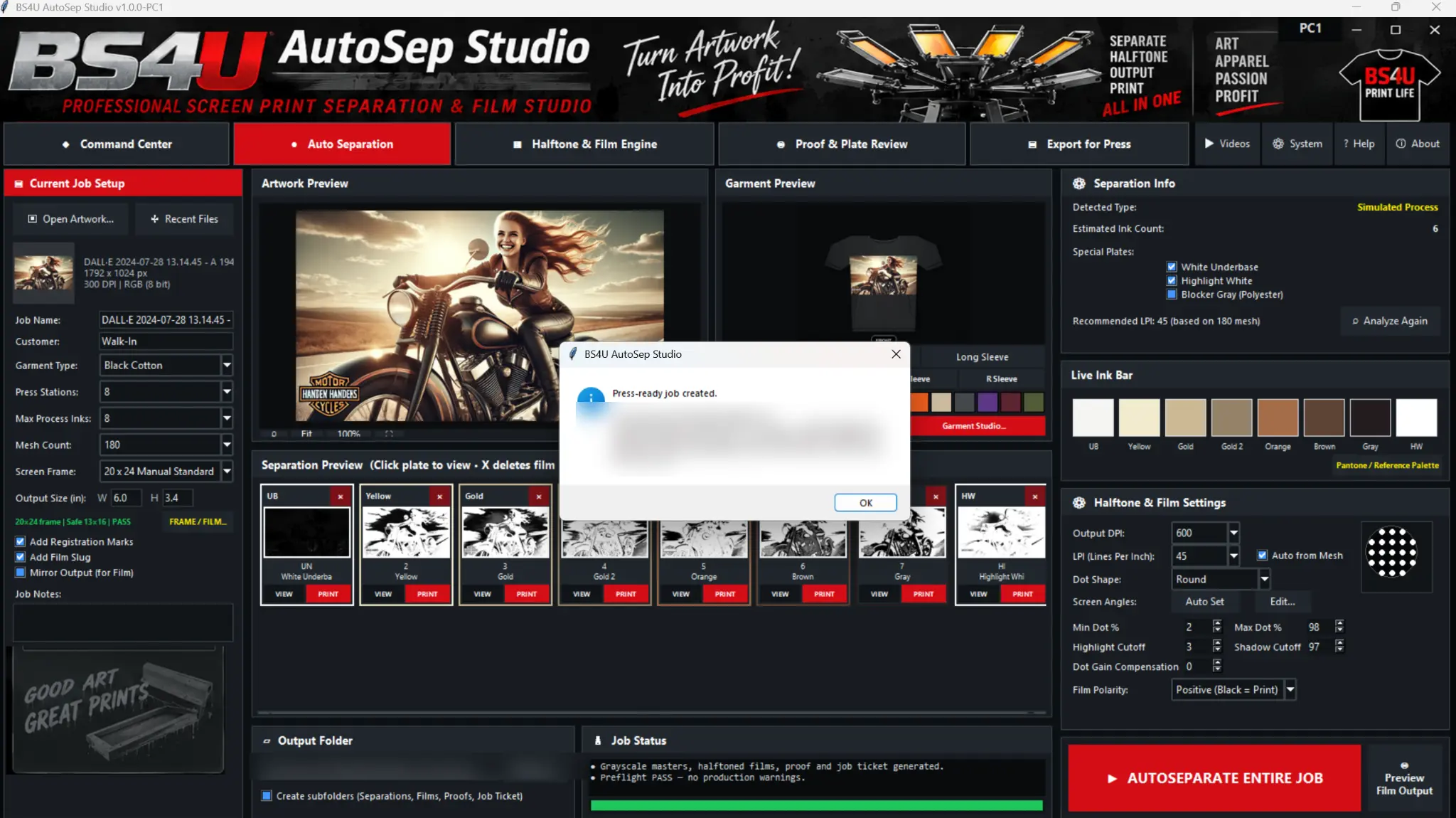
Choose the garment, press stations, mesh, and output size. AutoSep analyzes the artwork, builds the plate set, and keeps each production choice visible before anything reaches film.
Keep every decision visible so jobs are easier to review, repeat, and move into production. These examples follow the actual interface from loaded art to approved output.
Load customer artwork and choose the garment, press, mesh, and finished output size.
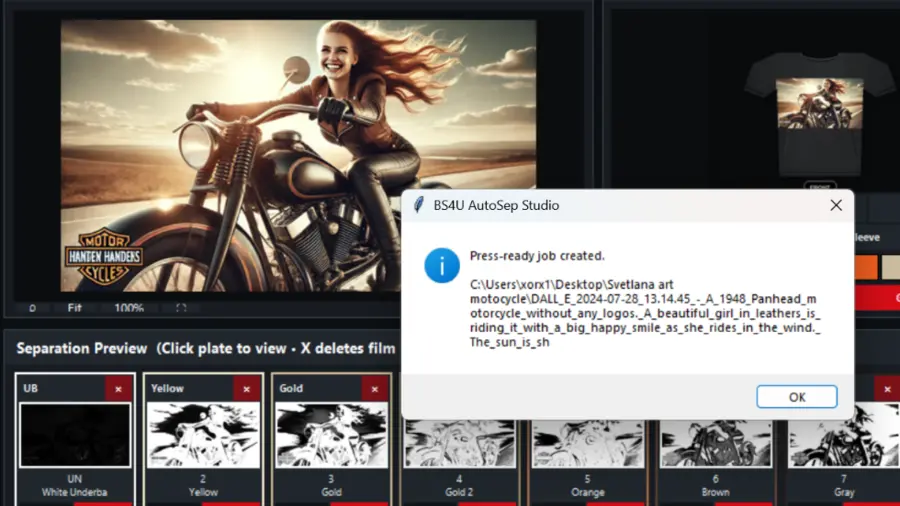
Analyze colors and generate editable process and specialty plates.
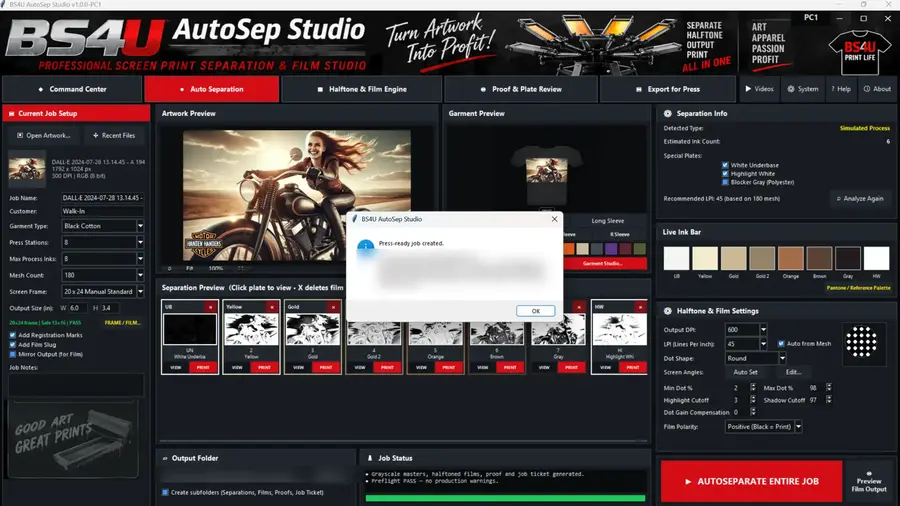
Review proofs, halftones, dimensions, marks, and production warnings.
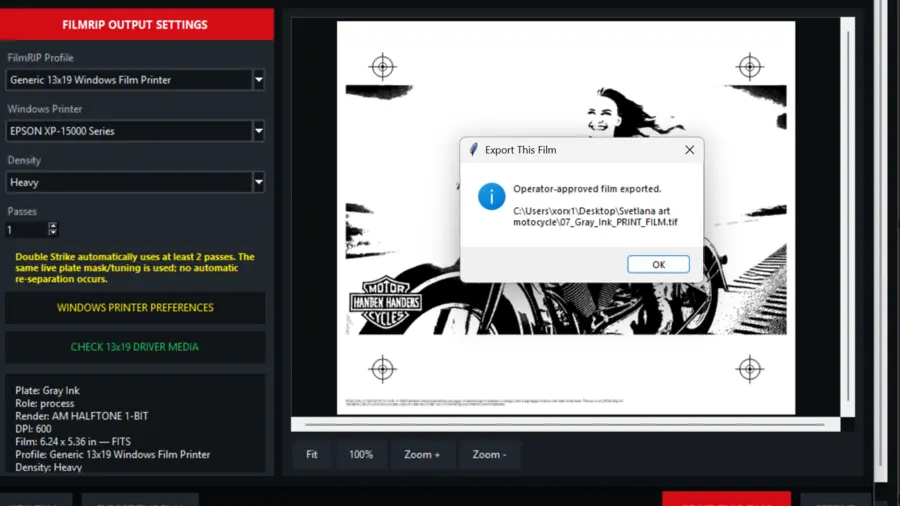
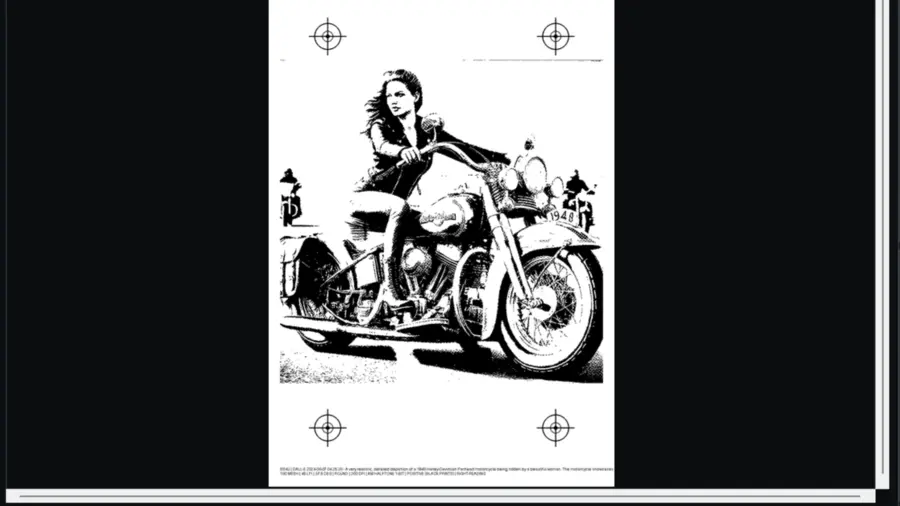
Export or print the approved film through the selected shop workflow.
FilmRIP uses the approved live plate rather than surprising the operator with another separation. Inspect dimensions and production settings before export or print.
Direct printing and physical density depend on the selected Windows driver, printer, media, ink, and calibrated shop profile.
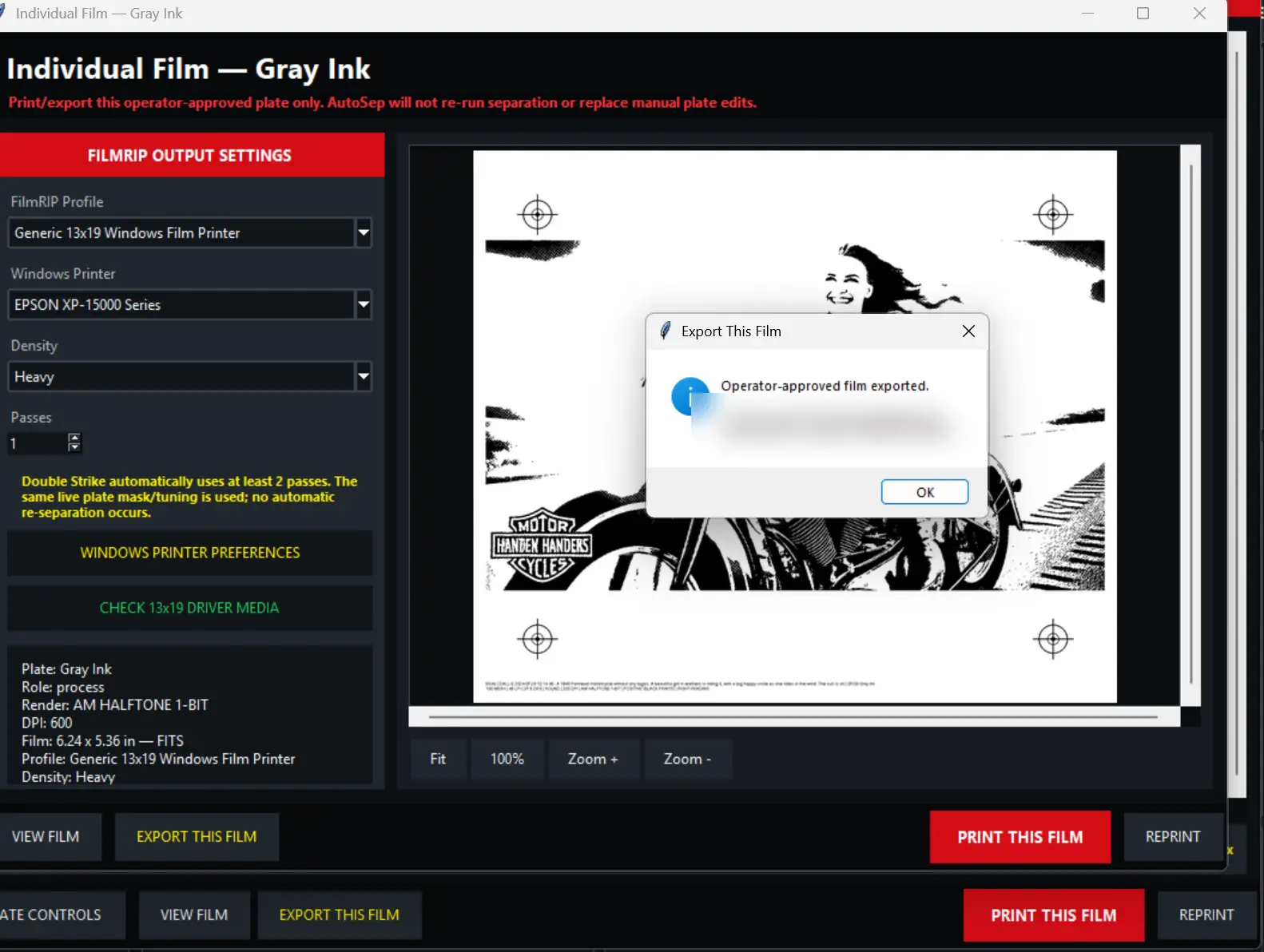
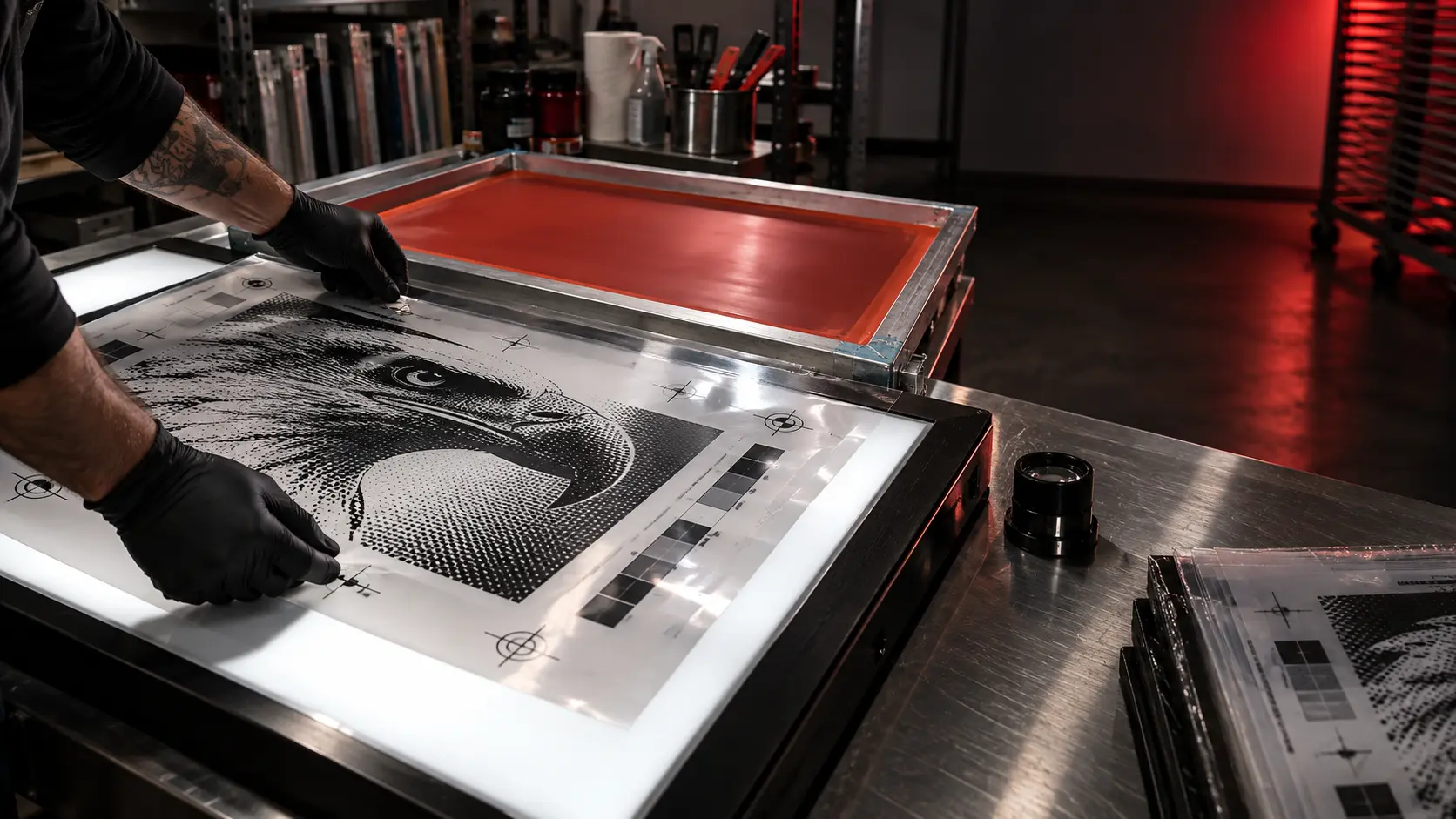
Use AutoSep to prepare separations, inspect live plates, review dimensions and settings, and produce films. Evaluate the workflow with your own artwork and shop equipment.
Evaluate workflow benefits using your own artwork, job volume, labor costs, and shop results. No fixed savings or production outcome is guaranteed.
Prepare the job, manage customer communication, and keep production records together. Core local production works offline; email and connected resources require configuration and connectivity.
Spot for distinct inks, Simulated Process for blended art, dedicated C/M/Y/K process plates, and adaptive-palette Index separations. CMYK supports tone and total-ink controls plus compatible external ICC/ICM conversion.
Remove edge-connected color backgrounds offline with preview, tolerance, feathering and restore controls. Inspect resolution, transparency, tonal contrast, tiny details and color complexity. Compare separation methods, screen requirements and press fit, with mesh/LPI guidance. Scores support decisions; they do not predict exact press results.
Check press capacity, registration, empty or duplicate plates and invalid plate data. Record printer X/Y compensation, exposure step-wedge results, mesh/ink/press settings and reusable production recipes.
Manage customer records, line items, tax, discounts and payments. Convert quotes to invoices, export HTML/PDF documents, estimate job costs and track inventory and artwork approvals.
Send invoices, proofs and attachments through configured SMTP; optional IMAP and EML fallback support communications. Export QuickBooks and Xero CSV files, also readable in Excel. File export is not live accounting synchronization.
Retain editable plates, artwork, settings and QC records in Master Job Packages, with matching verified films when included. Use batch exports and configurable daily backups while the app is running; credentials and machine-bound licenses are excluded.
Supported artwork includes PNG, JPG, TIFF, BMP, WEBP and PSD import for production preparation. PSD import is not a full Photoshop editor. CMYK, Index and ICC workflows require shop-specific qualification.
One-time licensing with one year of updates and email support. The purchased version continues working on your authorized computers.
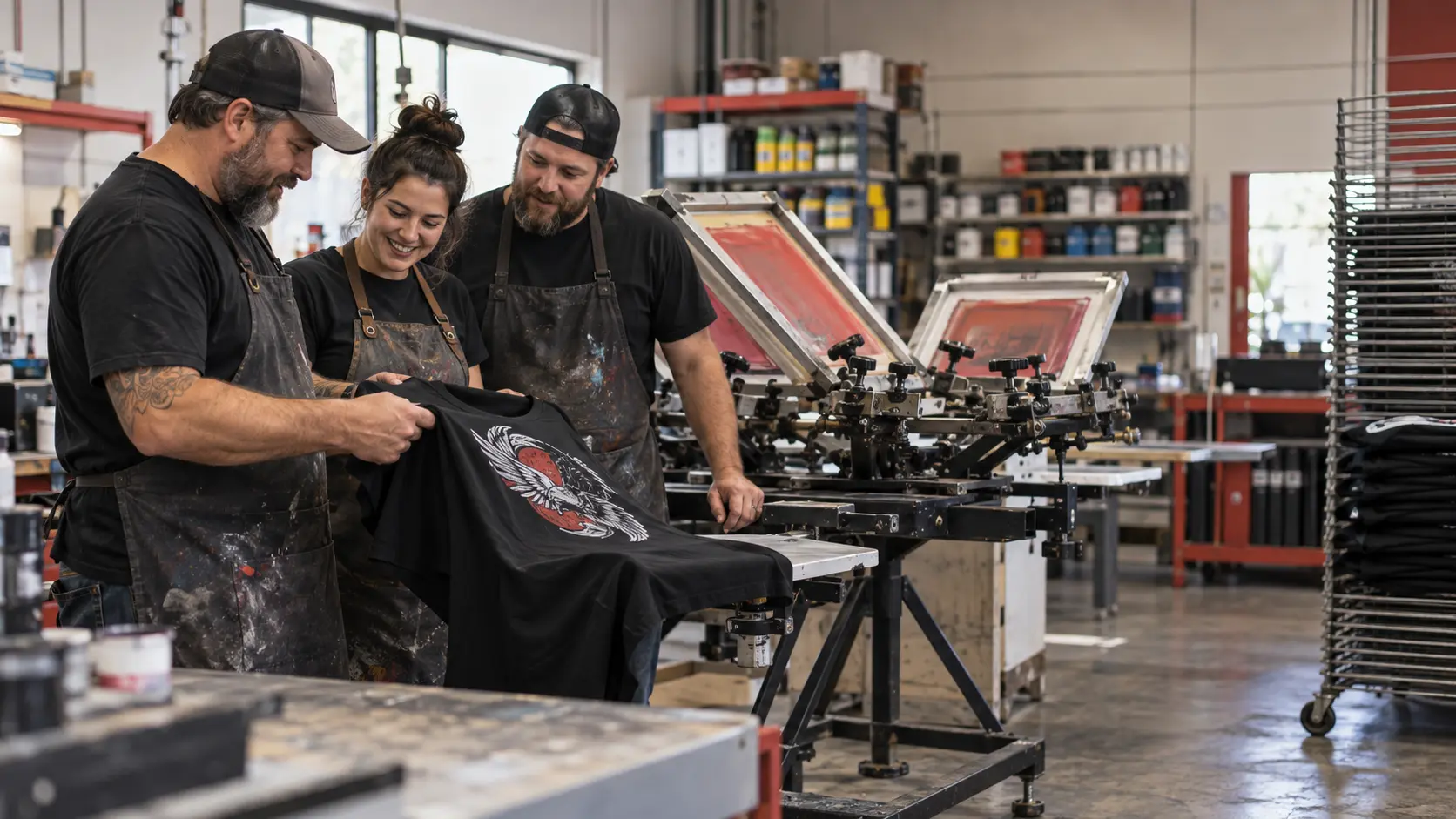
BS4U AutoSep Studio is developed by BigSales4U LLC, a veteran-owned, family-run business focused on practical tools for the screen-printing industry.
Professional software should be powerful, understandable, and honest about what it does. AutoSep uses clear production controls, local files, signed offline licensing, and straightforward pricing.
Keep business records close to production and use training resources when your team needs guidance.
Manage customers, quotes, invoices, costing, inventory and configured email alongside your separation workflow.
Explore Shop Tools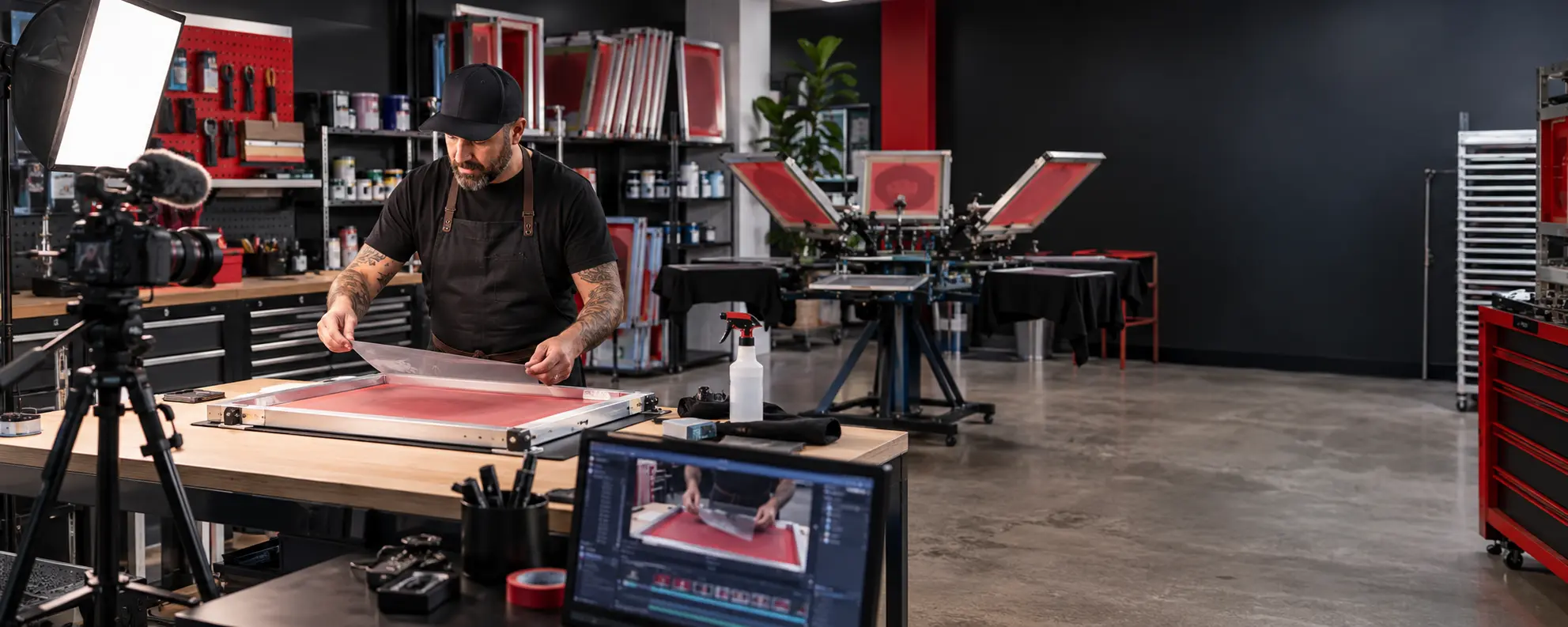
Find workflow demonstrations and practical screen-printing tutorials when your team needs help.
Open TrainingThese are real AutoSep screenshots on Windows, made with BS4U’s own artwork; click any image to see it full size.
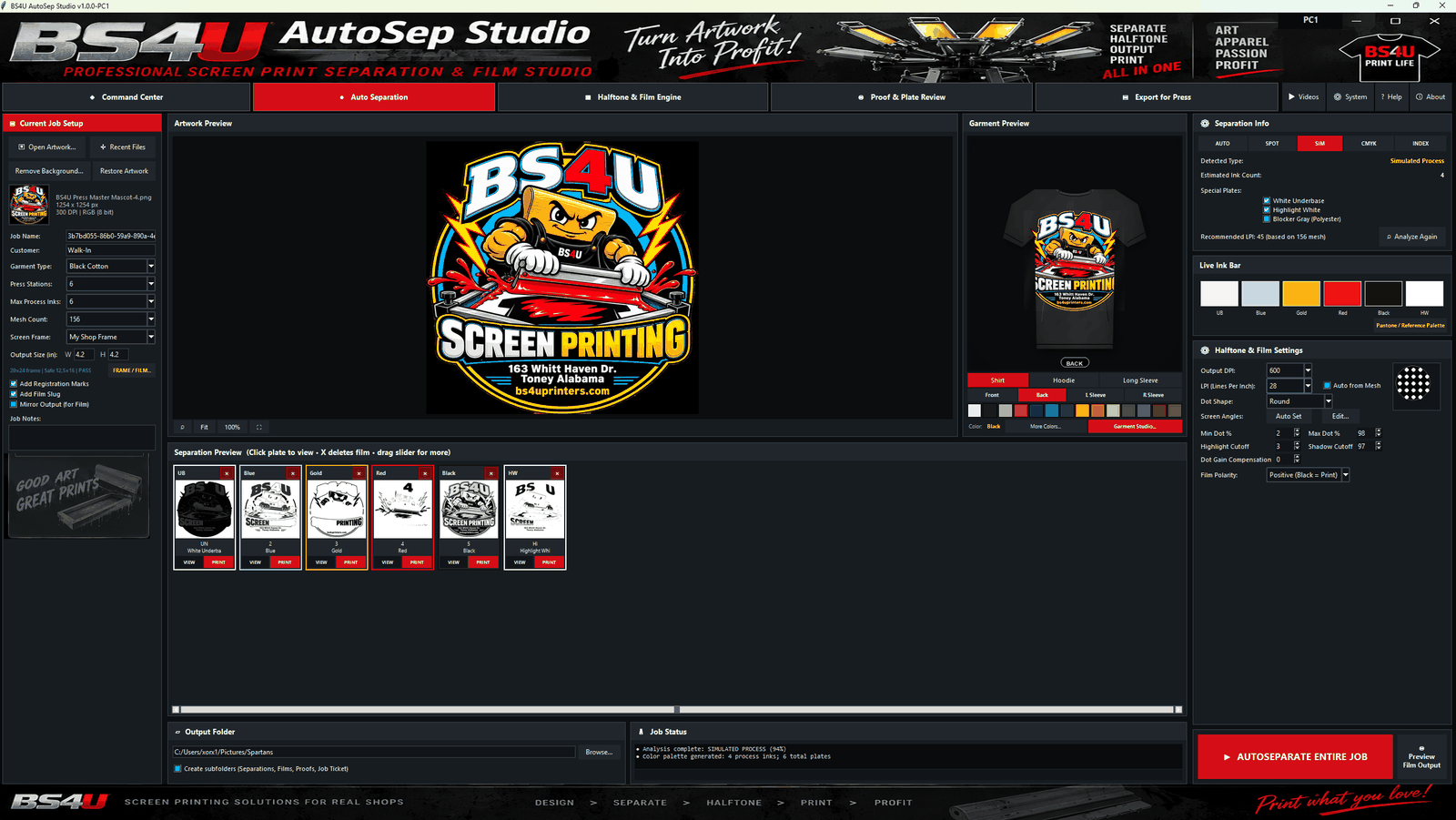
AutoSep detected simulated process at 94% confidence and built six plates for a black shirt, from the white underbase to the highlight white.
View full size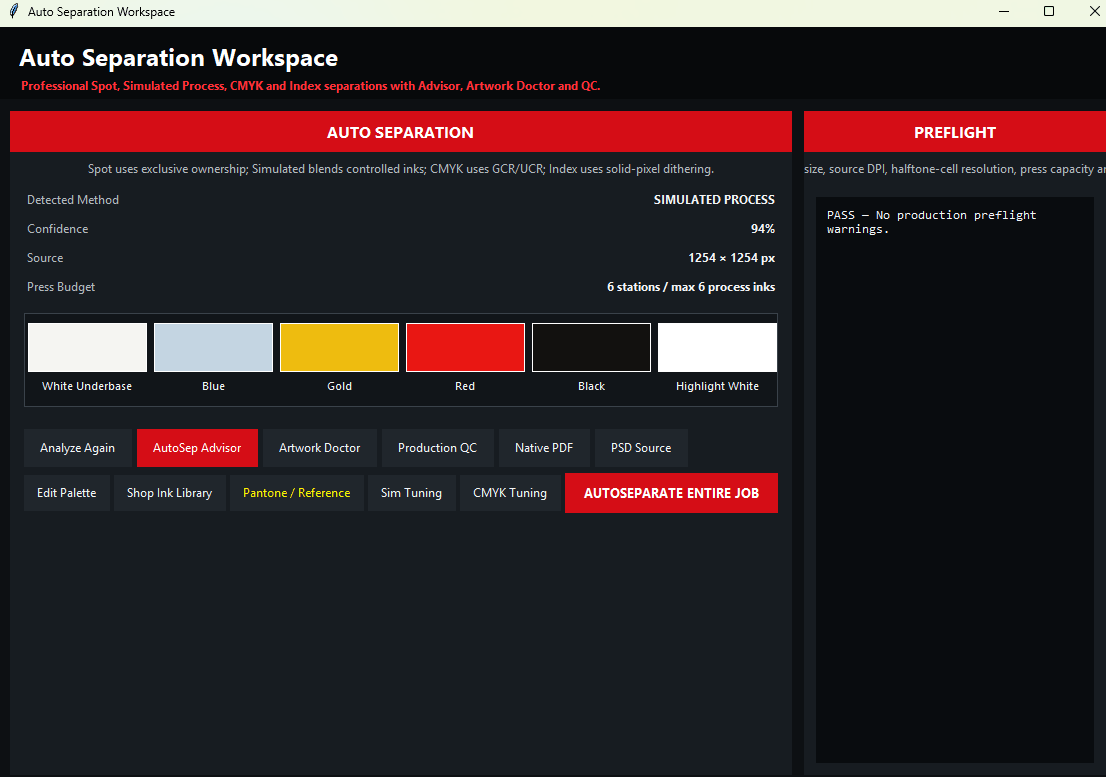
The Auto Separation Workspace shows the detected method, the ink palette and the press budget, and here preflight reports no production warnings.
View full size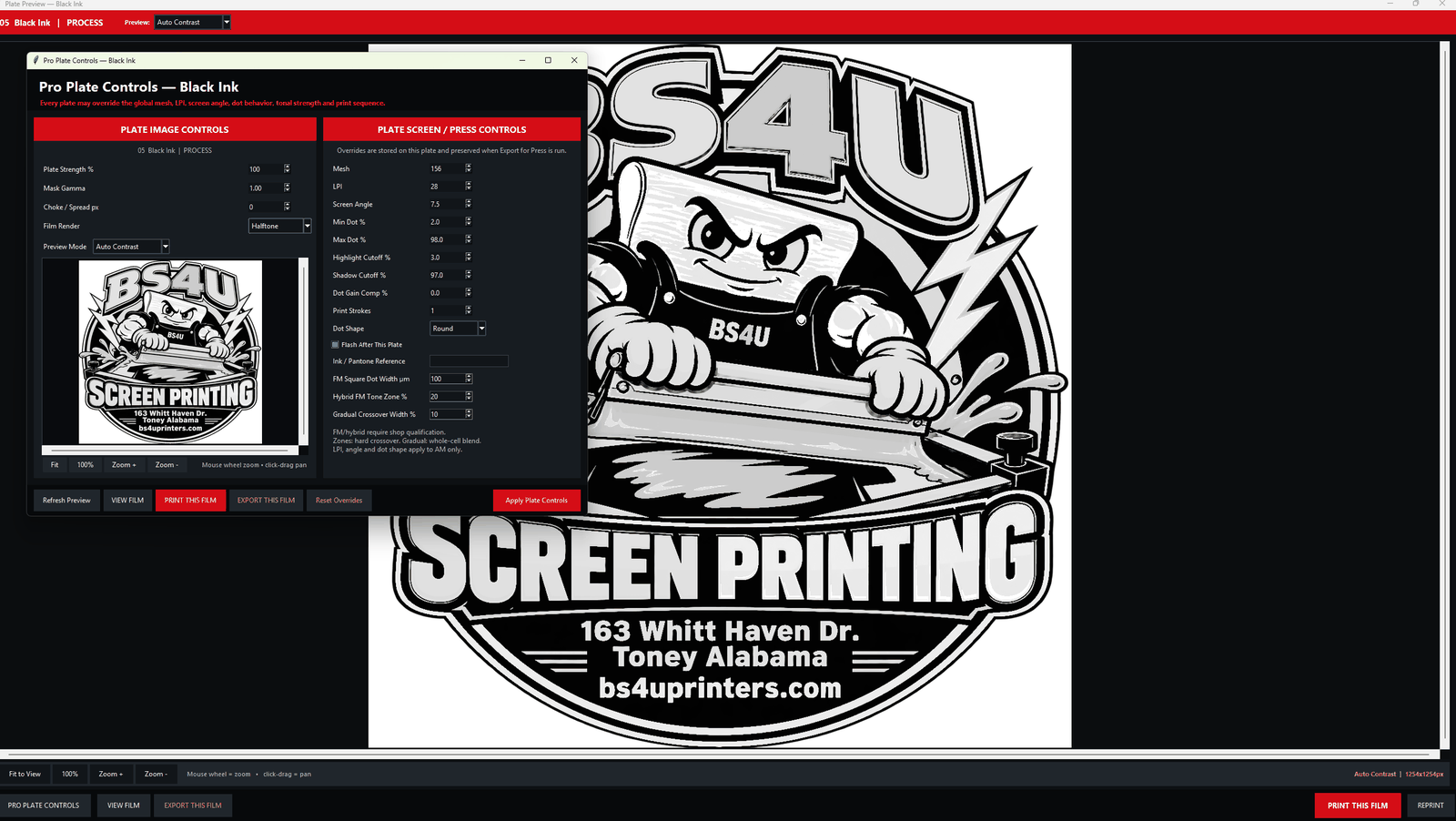
Each plate can have its own mesh, LPI, screen angle, dot limits and dot shape, shown here for the black ink plate.
View full size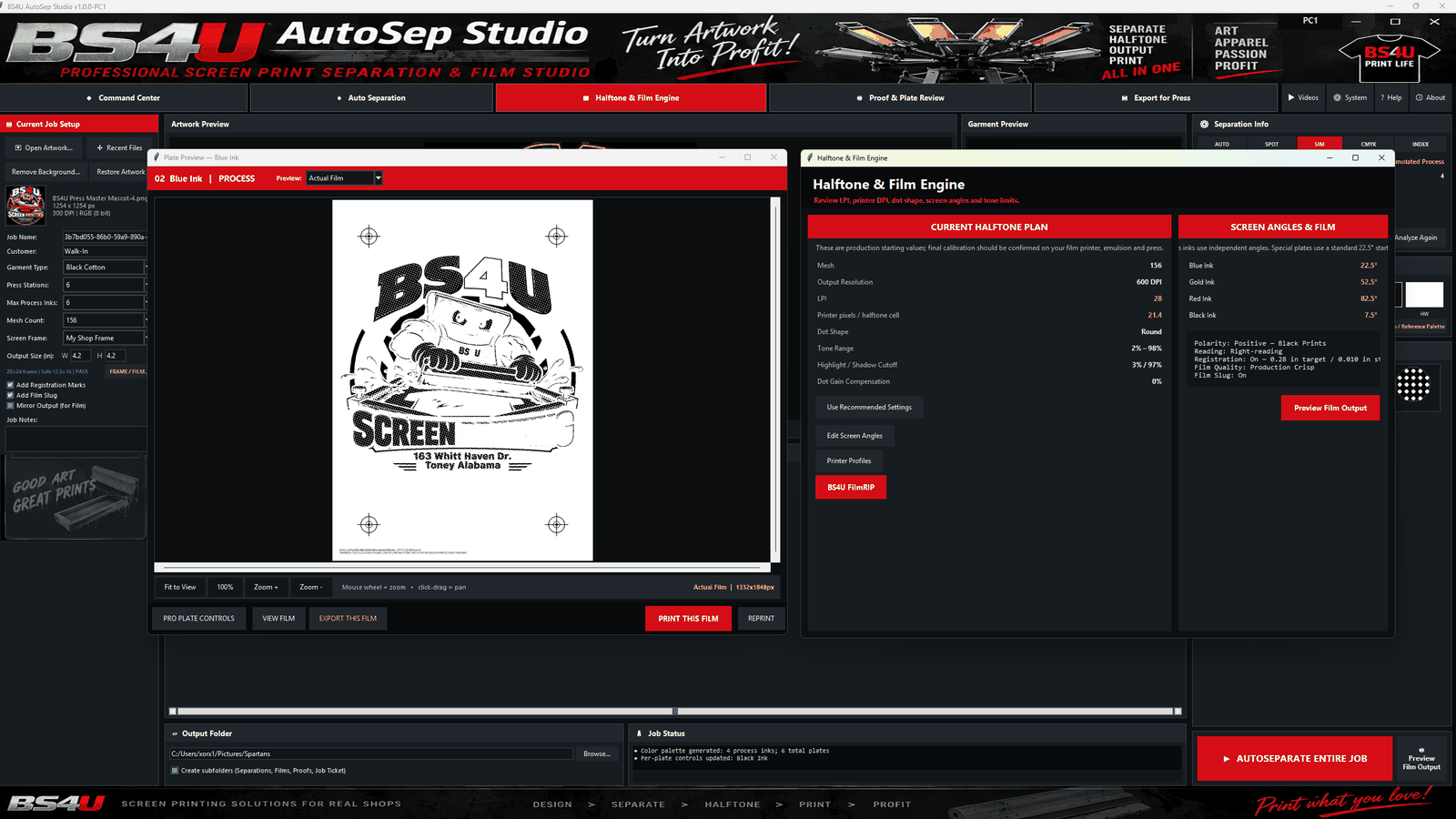
The blue plate appears as a halftone film with registration marks beside its mesh, LPI, dot and screen-angle plan, which are starting values; confirm calibration on your own printer, emulsion and press.
View full sizeDownload now and start a free 10-day trial automatically on first launch. No invitation, trial checkout or manually issued trial license is required. Existing paid activation is preserved. Paid purchases include a 30-calendar-day refund window, including after activation. Email support@bs4uautosepstudio.com with order details to request a refund.
Windows 10 and Windows 11, 64-bit. The current installer does not support 32-bit Windows. Code signing is pending, so Windows may display publisher or SmartScreen warnings. Contact support for verification guidance before continuing if a warning appears; do not disable security protections.
Optional: get setup tips by email during your trial.